 CoachPro Tools
A career coach supports high-stakes decisions: changing companies, asking for a promotion, redirecting a profession or returning to work after a break. The session itself is only part of the job. You also need to gather the client's professional context, organize options, keep a plan alive between sessions and get paid without chasing anyone.
This article shows how that process runs inside CoachPro Tools, the coaching platform, step by step and with the real tools in the catalog. If you are looking for an overview of career tools outside the platform, the career coaching guide walks through them one by one.
What a career coach needs from a platform
- Professional context at hand: the client record stores their professional background, goals, format, frequency and process status, so you arrive at every session knowing where you left off.
- Tools completed in session: career maps, anchors, skills inventories and decision matrices the client completes with you live.
- Follow-up between sessions: goals with a starting point and target, dated actions and a space where the client sees what you agreed.
- Calendar and payments: bookings, video calls and programme payments without jumping between apps.
Before the first session: form and client record
From the client record you send the intake form with their email already filled in. They complete it online, without creating an account, and the response is saved to their record. The first session starts with their professional situation, what they want to change and what they have already tried. See the details in coaching intake forms.
First session: where they are today and where they want to go
The Career Journey Map lays out roles, projects and assignments with the satisfaction each one left, from −5 to +5. It is a quick way to spot patterns: which kind of work gives them energy and which drains them.
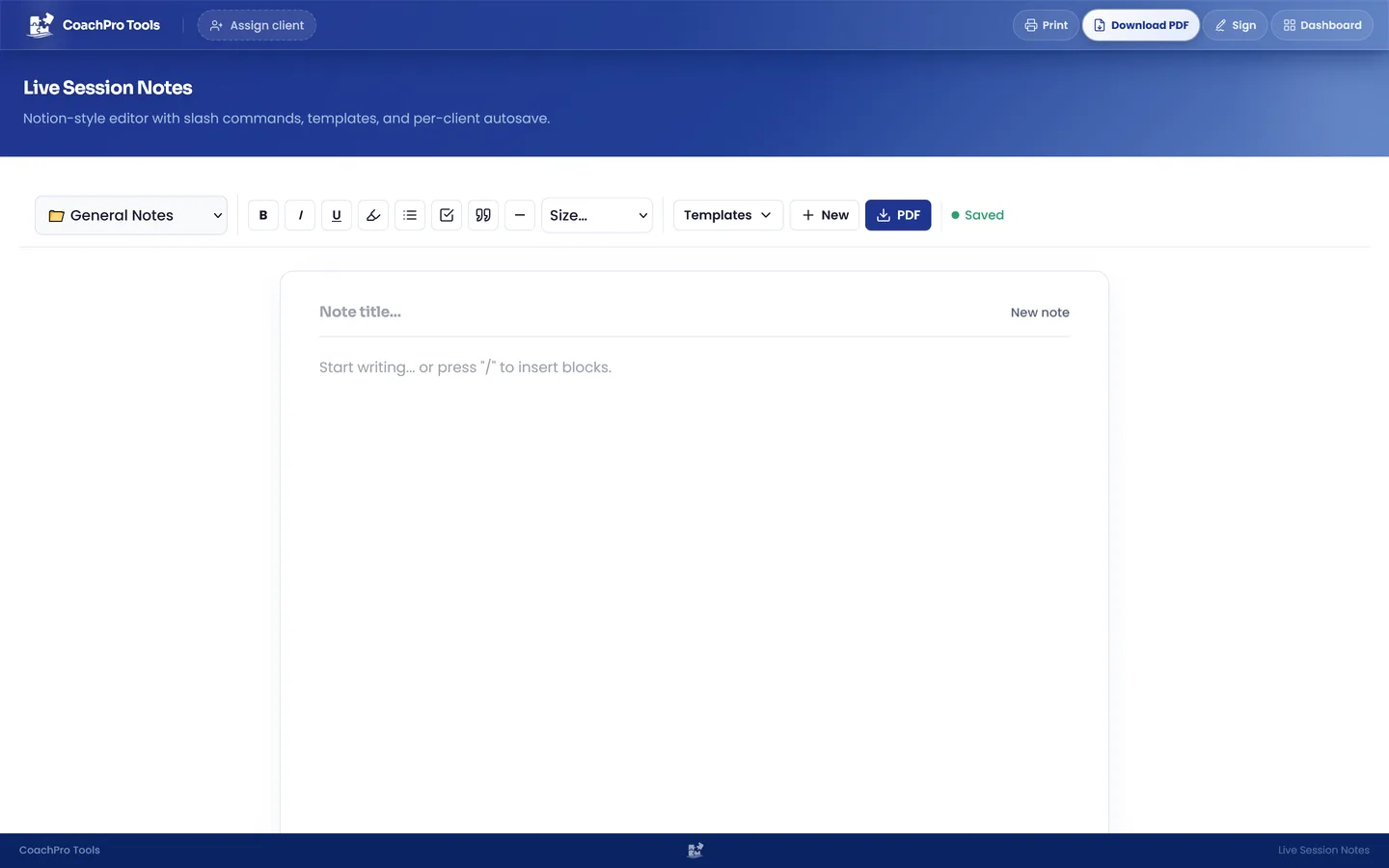
With the Career Map the client defines their starting point and explores three routes: vertical (promotion), horizontal (broadening the role) or pivot (career change), each with its destination in three to five years, key requirements and an action plan. Meanwhile you note in Live Session Notes what the client discovers and the questions that opened something up.
Exploring what drives them: anchors and skills
Career Anchors, based on Edgar H. Schein's model, help uncover the combination of competencies, motives and values the client will not trade away. The Professional Skills Inventory covers 50 competencies in five categories and shows the gap between their current level and the one the chosen route requires.
For a free first exercise, the personal values and personal strengths tools are a good way to open the conversation. The glossary explains personal values in coaching.
Choosing between options with clear criteria
When there are several possible paths, the Career Decision Matrix compares up to five career routes with weighted criteria and a final score. The client sees in writing what matters most to them, instead of choosing whatever sounds best out loud. The Decisional Balance complements the matrix with the pros and cons of changing and of staying.
The article on the decision matrix in coaching explains how to guide that conversation, and the free decision matrix lets you try it.
A guided path: the Career transition protocol
Among the platform's ten guided protocols is Career transition: a defined sequence of five existing tools with progress requirements and a final rule-based summary. It is useful when you want structured work without choosing every resource from scratch, and it does not depend on artificial intelligence for the summary.
Between sessions: keeping the plan alive
Agreements become goals with a starting point and target, and actions with a date, status and reminders. The client marks their actions as done from their client space, sees the notes you chose to share and the tools you sent them. You can also send a tool by link so they complete it before the next session, without creating an account.
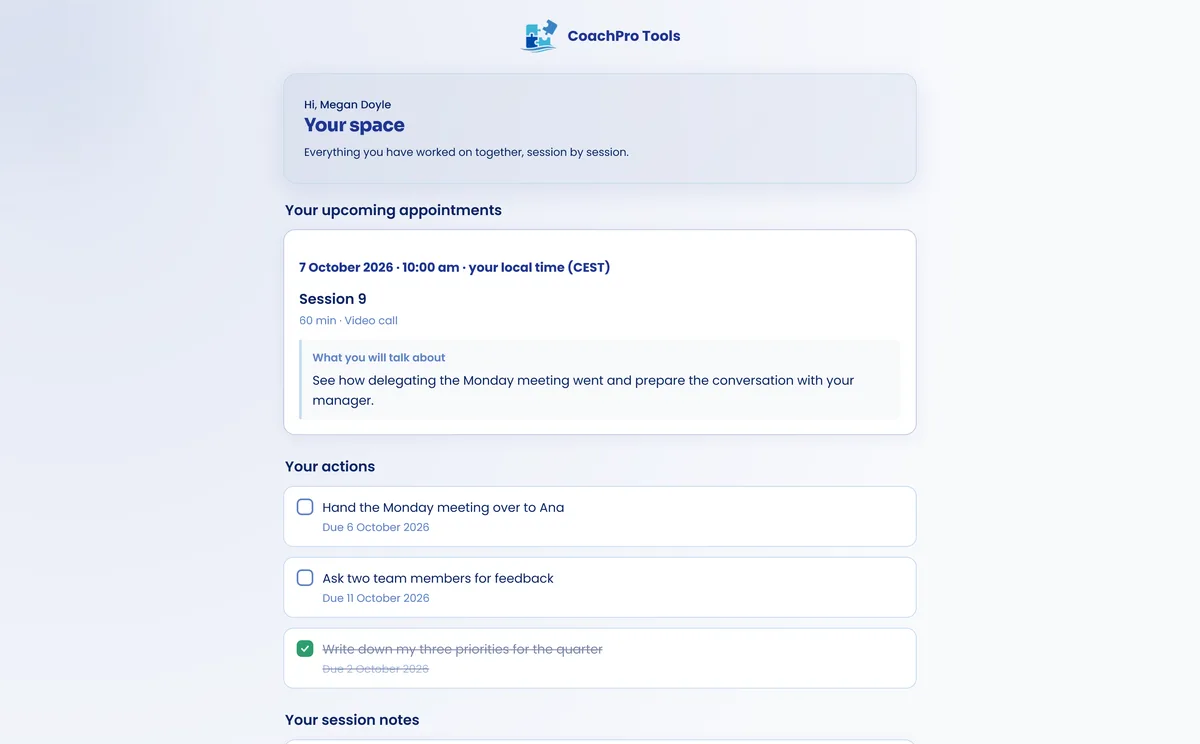
If a question comes up between sessions or they want to share progress, they write to you in the Client Log and you reply from their record. To set the plan, the free SMART goals tool and the action plan glossary entry are a good starting point.
When the client stays in their current job
Not every career process ends in a change. Sometimes the goal is to understand why the current job no longer fits. The Job Satisfaction Test measures 25 items across five dimensions: motivation, relationships, compensation, development and balance. The article on software for workplace and organizational coaches goes deeper into that kind of process.
Calendar, video calls and payments in one place
The client books from your booking page, with no clashes with your Google Calendar, and the session runs in the platform's video call, where you share your screen to work through the tools live. You charge for the programme with your own Stripe account, also in instalments, and CoachPro Tools takes no commission. The details are in scheduling and bookings and the Stripe integration.
An example six-session process
- Before and session 1: intake form, Career Journey Map and the goal of the process.
- Session 2: Career Anchors and Professional Skills Inventory.
- Session 3: Career Map with the three routes.
- Session 4: Career Decision Matrix and Decisional Balance.
- Session 5: action plan with goals and actions in the client space.
- Session 6: progress review and closing, as explained in how to end a coaching engagement.
Everything stays in the client record's history: appointments, sessions, forms, tools, Client Log and actions. If the client comes back a year later, you pick up from there.
Bring your career coaching onto one platform
Explore CoachPro Tools plans with client records, career tools, calendar, Client Log and payments.
See plans and pricing →Frequently asked questions
Which career tools does CoachPro Tools include?
Among others, the Career Map, the Career Journey Map, Career Anchors, the Professional Skills Inventory, the Career Decision Matrix, the Decisional Balance and the Job Satisfaction Test, plus the guided Career transition protocol.
Does the client need to create an account?
No. The client answers forms and tools by link, joins the video call from the browser and accesses their client space without creating an account.
Can I charge for a career programme in instalments?
Yes. With your own Stripe account you create the payment from the client record, also in instalments, and CoachPro Tools takes no commission.
Does it work for online and in-person sessions?
Yes. In person you complete the tools together with the client and online you share your screen in the platform's video call; in both cases everything stays in their record.