Your entire coaching platform, with your brand.
One payment, forever.
CRM, calendar, video calls, and +295 interactive tools to use in every session — with your logo, your colors, and your name. And now to measure a whole company as well. All in one account, for a single one-time payment, for life.

Everything CoachPro Tools includes
One account with everything you use before, during, and after every session. No extra apps, no monthly fees.
In the session
- +295 interactive tools
- Assistant that picks the right tool
- Coaching whiteboard
- Mind map
- Live session notes
- Session kanban
- Visual templates
- Screen recording
- 1:1 video calls
- Multimedia embeds
Every client
- Client files (CRM)
- Client timeline
- Client workspace
- Editable client grid
- Quick capture
- Forms
- Before-and-after progress
- Step-by-step programmes under your brand
- AI recaps written from the session audio
Your business
- Calendar synced with Google, Apple and Outlook
- Bookings with auto-scheduling
- Organisations: company climate and 360
- Open links and QR codes for groups
- Invoices and receipts
- WhatsApp + AI Agent
- Analytics
Your brand & growth
- Full White Label (free during this launch)
- Marketing platform included
- Lifetime updates
All of this for a single $297 USD payment, forever. No monthly fees.
You do valuable work.
But most of it stays invisible.
You can run an outstanding session and still walk away with little to show for it. And what your client can't see is harder to charge for — and harder to hold onto.
Today: without CoachPro
- A valuable conversation that lives only in memory.
- Notes scattered everywhere, homework over WhatsApp, PDFs in Drive.
- Your client can't see how far they've come.
- Hard to justify your price — and to retain clients.
- Every new client adds more chaos.
With CoachPro
- Tool applied, result saved automatically.
- Everything in the client's file, in one place.
- Visible progress: before and after.
- You present your work as a process, not scattered sessions.
- You take on more clients without drowning in admin work.
Coaches who already use it

"As a coach who works both within organisations and in private practice, being able to use a wide range of tools, and above all having my own tools added to CoachPro Tools in an interactive format, has been a real game changer for me. When a client asks me about something specific, instead of telling them ‘go find one’, I can offer them an interactive tool to work with. And when I need to follow up with a client or an organisation, I can do that too, right inside the platform."

"You can really feel the work and dedication behind the platform, and the improvements they keep adding. It has made working with my coachees so much easier, especially sharing tools and tasks outside our sessions. And the support: every time I had a question or made a suggestion, the answer came almost instantly. CoachPro also brings professionalism to my service: sharing tools with my own logo and having everything in one place shows my coachees commitment and organisation. I fully recommend it."

"I love travelling through the platform. I’m still getting to know it, and every time I discover a new tool. I’m so happy I found it. I share links, connect my calendar, use the group activities with my clients, and it even suggests which tool to use based on what the client brings to the session. I’ve already shared it with colleagues. I recommend it!"

"I’m loving CoachPro Tools, and more importantly, my clients love it too. The range of tools helps us turn useful conversations into practical actions between sessions. It’s become a valuable part of how I support clients to reflect, make progress and see how far they’ve come. I also love how supportive and responsive the support team is: if you’ve got a question, problem or an idea, they really do listen and respond quickly."

"I bought CoachPro because I was looking for a more affordable alternative to the coaching platform I had been using, but I’ve been surprised by how capable it has become. What has impressed me most is the responsiveness of the team behind it. As I moved my coaching workflows into CoachPro, I shared several places where the workflow could be better. They didn’t just acknowledge the feedback: they listened, asked good questions and implemented improvements, many of them almost immediately. The new Client Log gives my clients and me a central place to communicate between sessions. A lot of software companies say they listen to customers. My experience with CoachPro is that this team actually does. I’m very glad I made the switch."

"CoachPro Tools allowed me to centralize my coaching processes and make the whole experience far more professional. Today I mainly use session tracking, recaps and the client activities and tools, and I have started bringing it into my group leadership programs too. What I value most is having each client's process, progress and activities in one place while keeping my own brand identity. I also want to highlight how much the team listens: several needs I shared over these months quickly turned into improvements to the platform."

"CoachPro Tools has been a great help in managing my coaching practice. I have all my clients in one place, I share tools and forms with them by link, and what they answer is saved in their record. That gave me something that used to be hard: being able to trace every process, session after session."

"I've spent more than twenty-eight years in industrial settings, and I know when a tool helps and when it gets in the way. With CoachPro Tools, something happened that I didn't expect: I stopped thinking about the tool and went back to thinking about the client. What I use most are the wheels and diagnostic tests during the session itself: when clients see the distance between where they are and where they want to be drawn out in front of them, the whole conversation changes. And with White Label, I present the tools under my own brand, so the entire process feels like one piece. It's the perfect Swiss army knife for coaching."
The Visible Progress Cycle
Four moments that are usually disconnected, joined into a single flow.
Detect
Your client brings up a situation. The assistant recommends the right tool.
Intervene
You work through it live or share it by link — no account needed on their end.
Record
Answers, charts, and decisions land in the client's file.
Demonstrate
You compare their progress and deliver results with your brand.
Three shifts in how you work.
All connected in the same place where you work with your client.
Run better sessions
Find out what's going on with your client and land on the right intervention without hunting through menus.
Turn conversations into visible progress
Saved results, before-and-after progress, and documents with your brand.
Run a real practice
Clients, calendar, bookings, forms, WhatsApp, and video calls — without ten apps open.
Here's what your work looks like, step by step
What other platforms scatter across ten apps happens here in a single flow.
Tell it what's going on with your client, and find the tool
The assistant reads the situation and recommends the best fit from +295 tools, organized by what your client brings today.
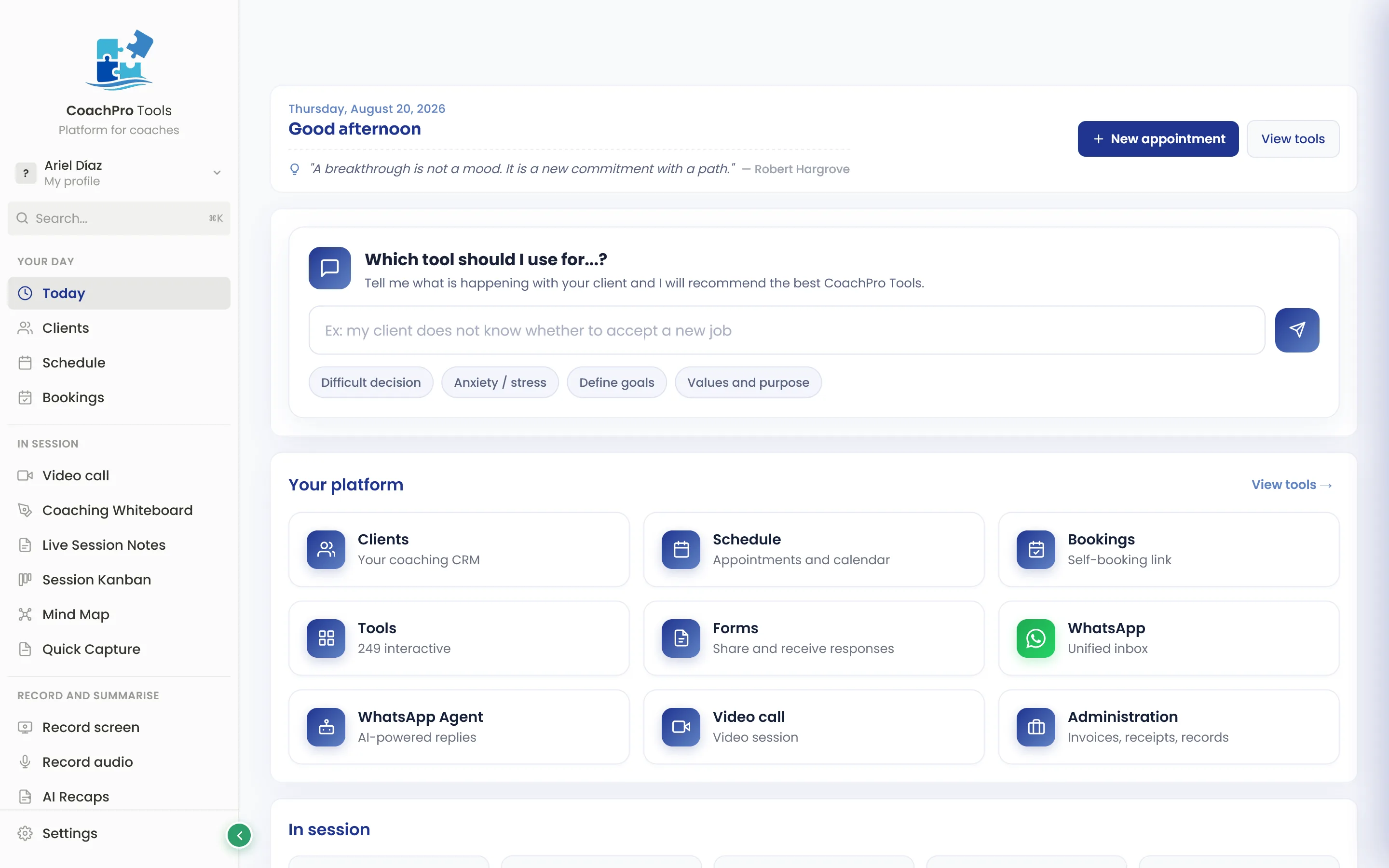
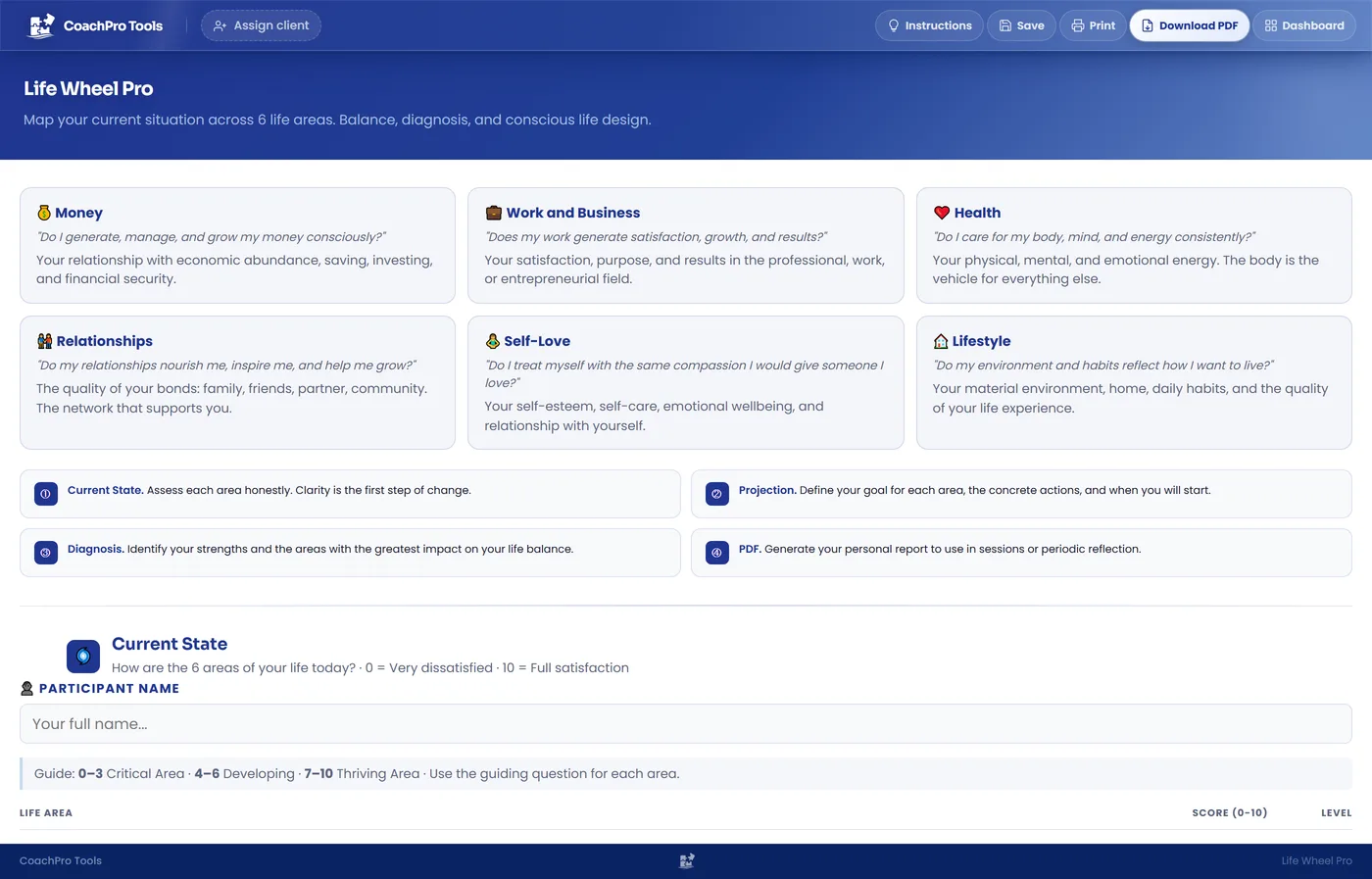
Work it live or share it — no login required
Wheel of Life, decisional balance, GROW, and many more, all interactive. Your client completes it by link, no install, no account.
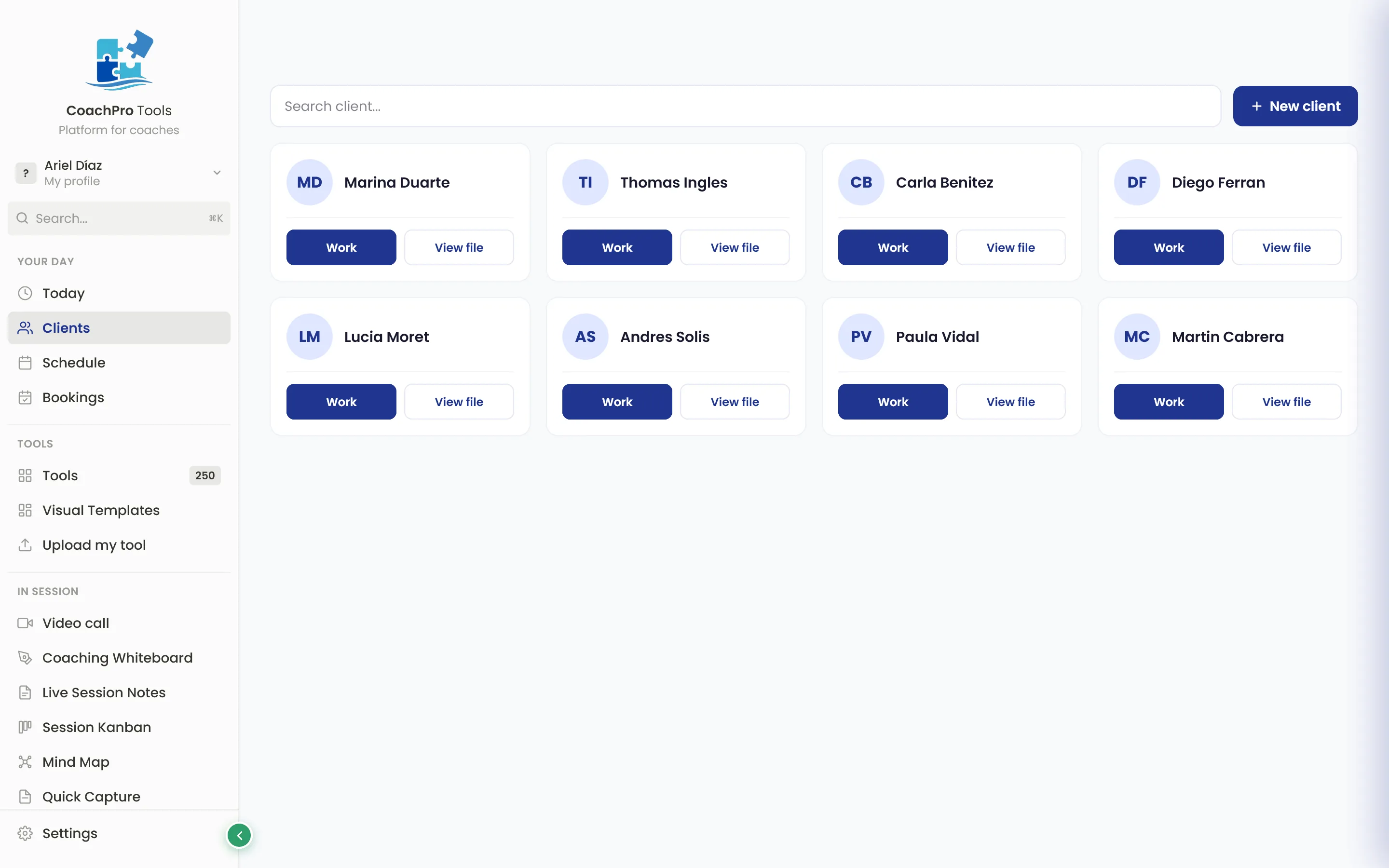
Every client, organized, with their full history
Files, saved results, notes, and follow-up. Your practice stops depending on your memory and ten open apps.
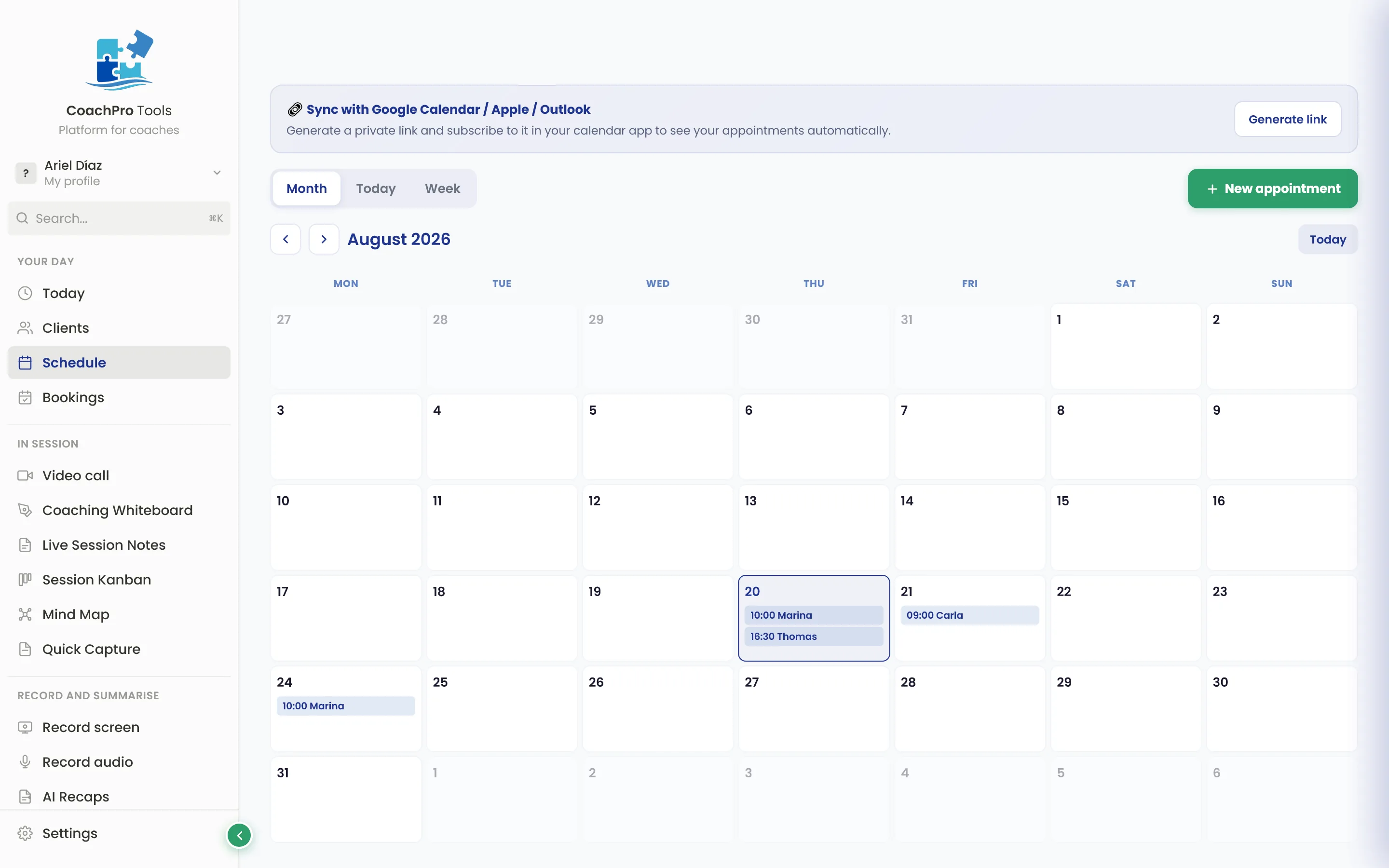
Calendar, bookings, and your business in one place
Appointments, a calendar that syncs with Google, Apple and Outlook, auto-scheduled bookings, forms, invoices and video calls. All connected to the client's file.
One client is a session.
One company is a project.
With Organisations you stop working only with individuals: you measure the climate of an entire company, department by department, and hand over a report that holds up in front of a leadership team.
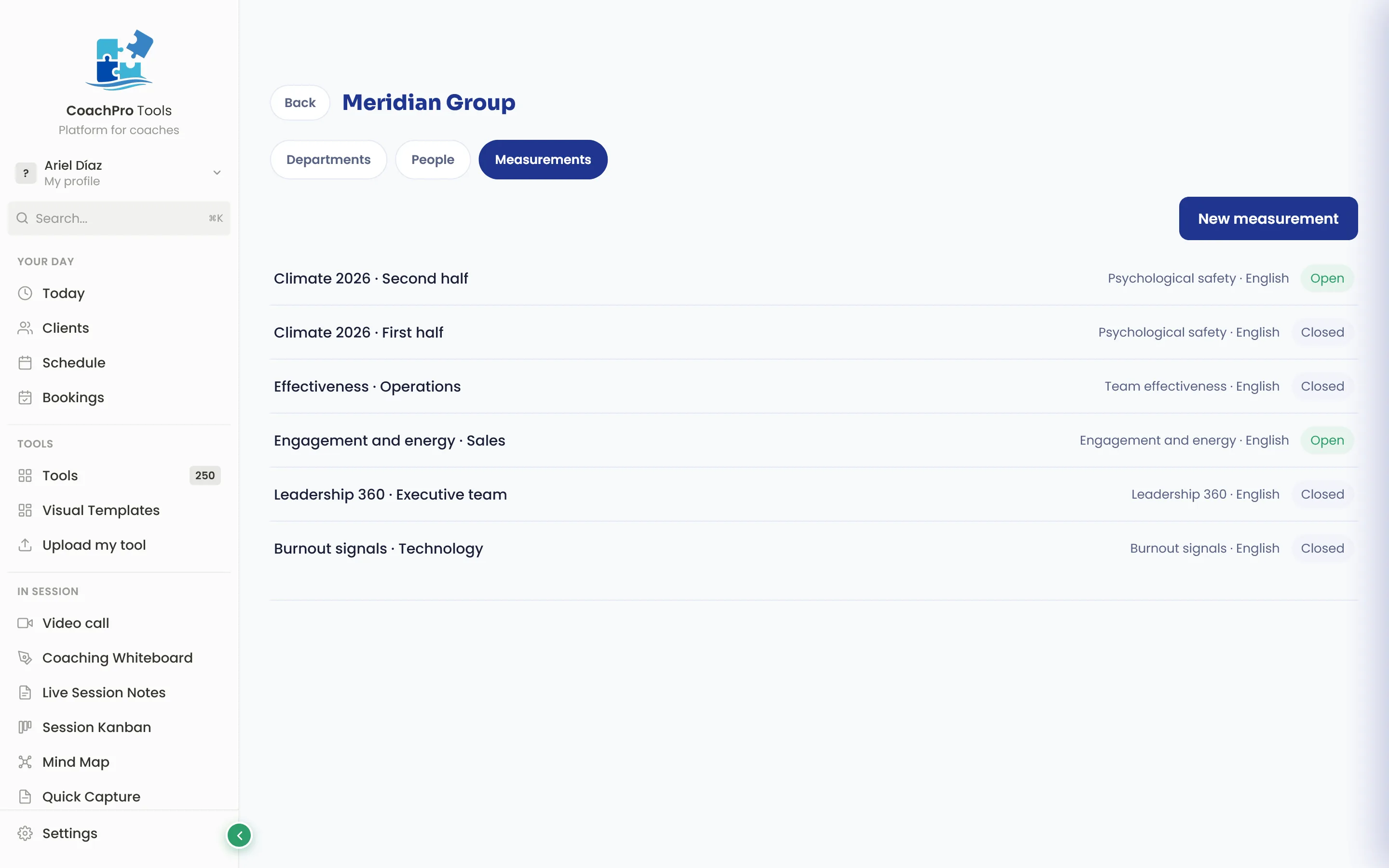
One link per group. Answers that are genuinely anonymous.
You create the organisation, its departments and its teams, and hand out the questionnaire through one link per group. Nobody signs up. Answers are only ever published grouped, and below the minimum you set no figure appears at all — not even for you.
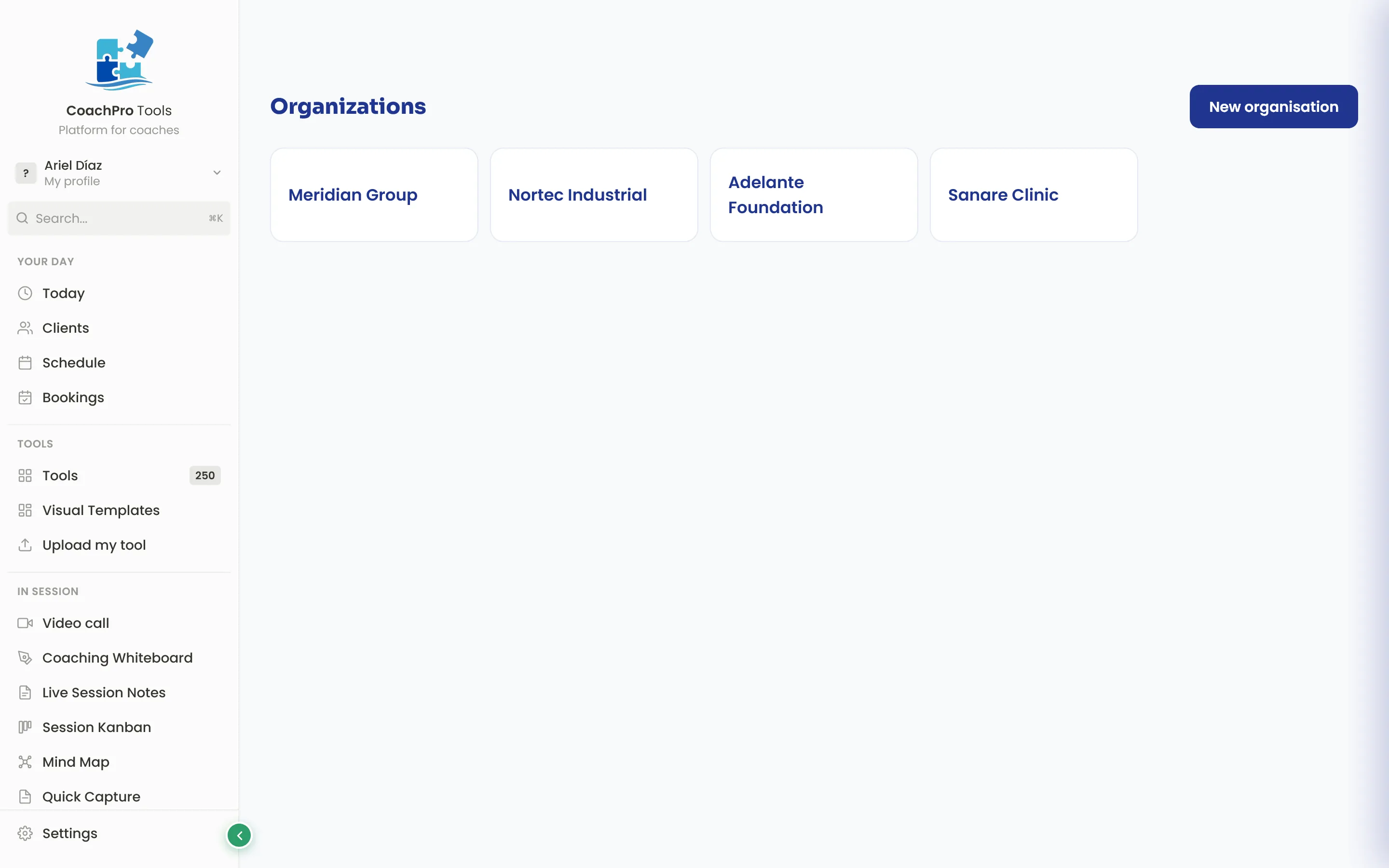
Nineteen ready-made instruments, in English and Spanish, with 688 questions: psychological safety, team effectiveness, engagement and energy, belonging and inclusion, burnout signals, turnover risk, culture, team agreements and more. One of them is a 360, where every question is compared across three views: their own, their team's, and that of someone watching from outside.
The report compares each department with the whole and with the others, sets it beside earlier measurements, and charts what changed. It is shared through a link that carries only what you decide.
Having +295 tools is no help
if you don't know which to open on Tuesday.
You describe in one sentence what is going on with your client, and the assistant tells you which tool to use. It is not a search box: it reads the situation and proposes the intervention.
“She is weighing two job offers and cannot decide”
You type that. The assistant offers you the decision balance, the values wheel or the belief map, depending on what she brought. You open the one you choose, share your screen, and you work.
No more digging through folders the night before, and no more improvising when your client arrives with something you did not expect.
The session ends and the write-up is already done.
You record the session inside the platform and the AI drafts the recap: what you worked on, the agreements and the next steps. You review it, change whatever you want, and approve it. It stays in the client's file.
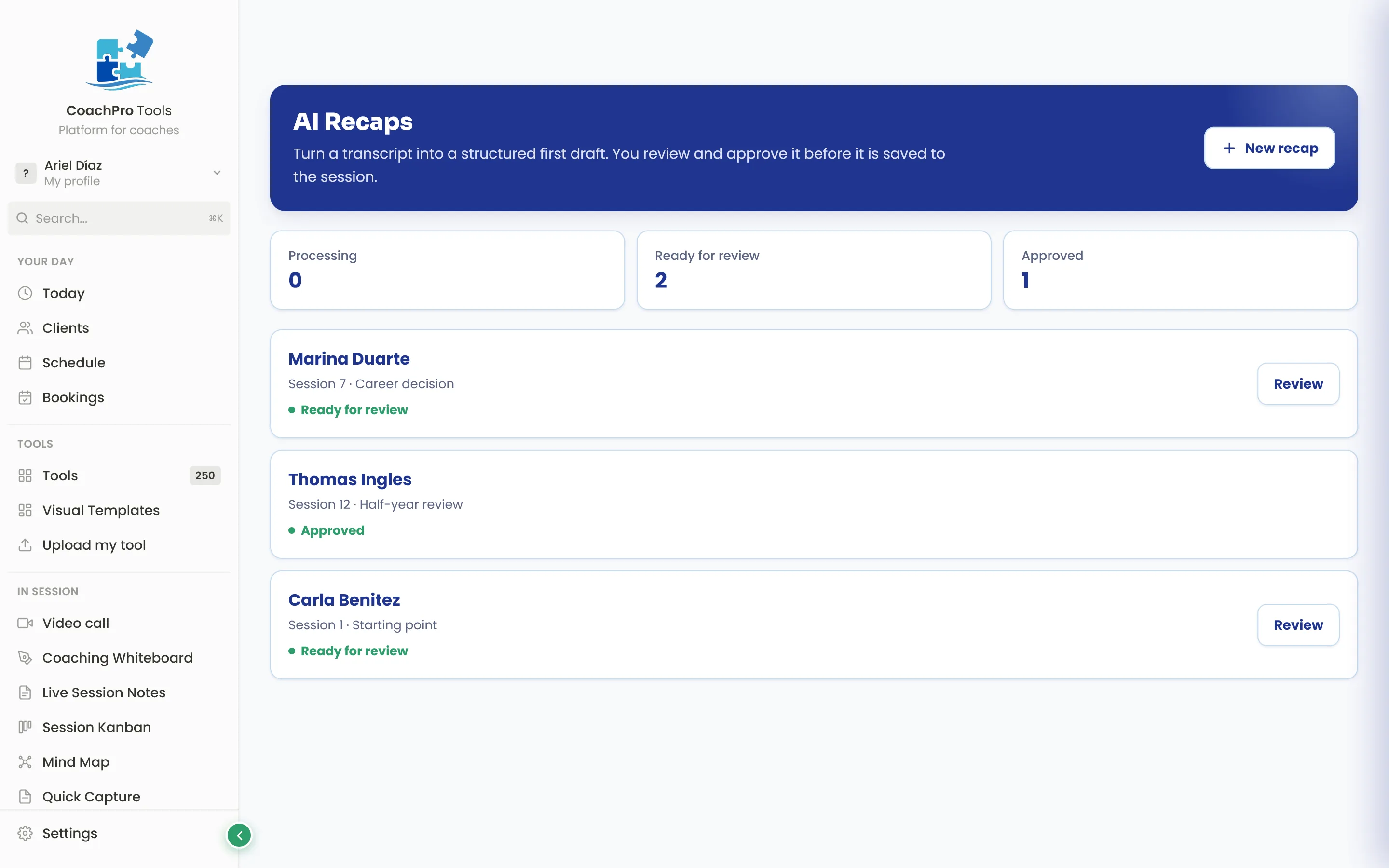
The admin half of every session — the part you usually do from memory, late and half-finished — is done before you close the laptop.
Your work does not end
when the video call closes.
Two ways to keep working outside the session: with a whole group at once, or walking one person through it step by step over several weeks.
A workshop of fifty people, from one code
You pick the tool and get a link plus a downloadable QR code. You put it on screen at a talk, a workshop or a group session, and everyone completes it from their phone without signing up. You can ask for a phone number, set an expiry date, and see the results of each participant and of the whole group.
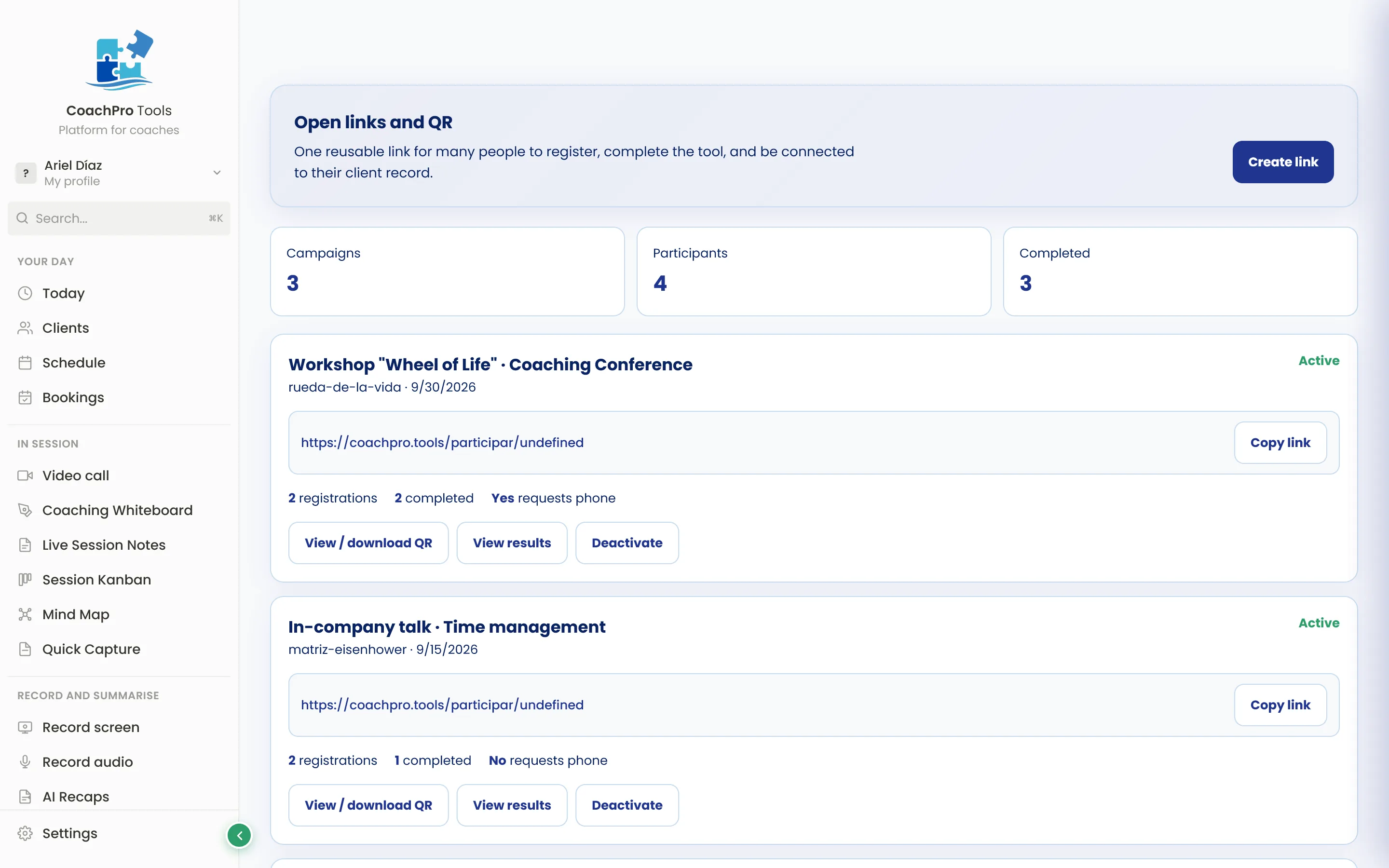
A journey of several weeks, under your brand
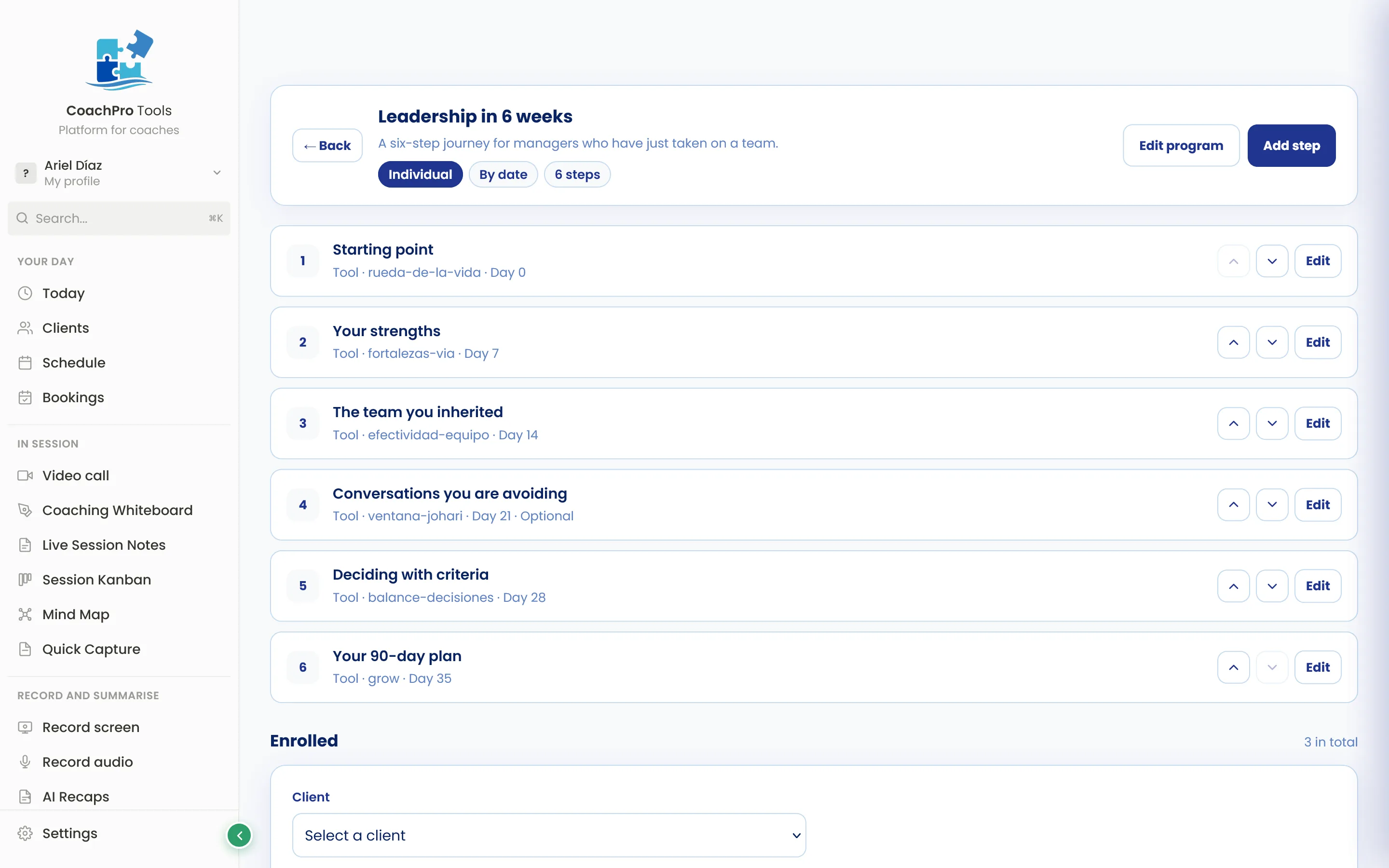
You build the programme step by step: which tool goes in each one and in what order. You decide whether they all open at once or unlock by date. You hand it to a client or a group through its own link, and you see who completed what.
Ten ready-made templates are included, and you can change them completely.
Coaches already working this way
They left the app puzzle behind for one platform, with their own brand.

Before, to prep a session I'd open the calendar, Drive, and chat, jumping between the three. Now I open the client's file and everything we talked about — and what's still pending — is right there. I stopped walking in feeling like something might slip through the cracks.

I run the session sharing my screen on Zoom, and the notes land in the client's file without me copying and pasting anything afterward. I didn't have to learn a whole system — I opened it and was working with a client that same day.

Every client has their own space with everything we've worked on and agreed to. I open it before a session and instantly remember where we left off. Before, that lived half in my head and half in loose notebooks.

I replaced the PDFs my client used to fill out by hand — and almost never sent back — with tools we work through together on screen. She's far more engaged, and the result is saved without me lifting a finger.

My calendar was in one place, billing in another, notes on my phone. It wasn't total chaos, but something always slipped through. Now it's all in one place and nothing gets lost anymore.

I figured it was just another app I'd open twice and forget. I gave it a week with two real clients before judging it, and I stayed. I open it in every session now.

I wrote to support with a question and got a same-day reply, in plain language, no canned responses. Sounds small, but when you start trusting a tool with your work, that kind of response matters.
Other platforms manage your sessions.
CoachPro also helps you run them.
The average coach juggles a puzzle of apps that have no idea they're doing coaching. They're the manual integration.
The usual puzzle
 Notion organizes
 Calendly books
 WhatsApp talks
 Zoom video-calls
 Canva presents
 Excel tracks
None of them know what to do when your client brings something up. You copy, paste, export, and remember from memory.
CoachPro Tools
- Detects what to work on with your client
- Applies the right intervention
- Records the result in their file
- Shows progress over time
- Delivers with your brand
- Manages clients, calendar, and billing
One flow that knows you're doing coaching. When your client brings something up, you know what to do.
Whatever your coaching approach
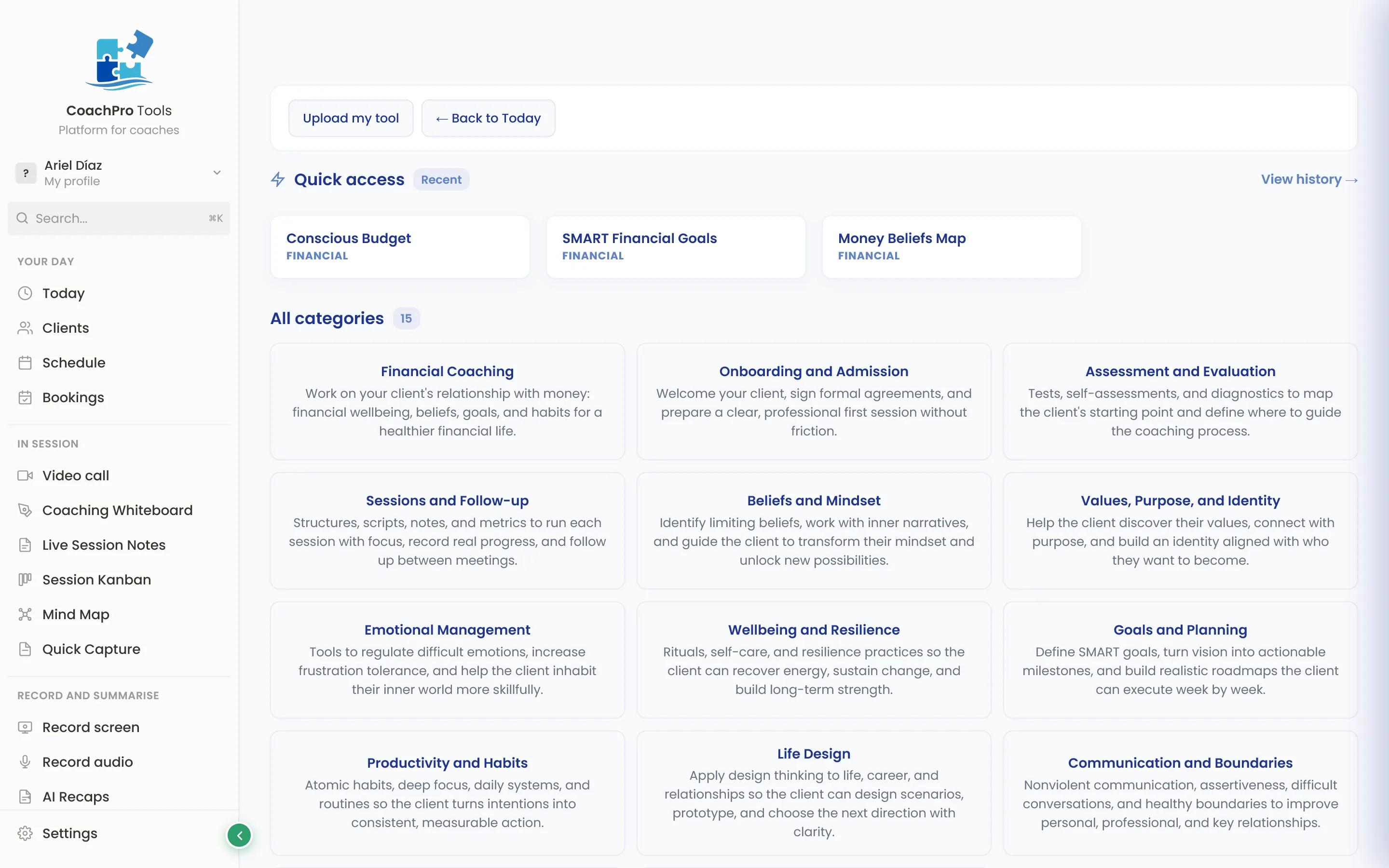
+295 tools. Every coach finds their own.
Life & purpose
Emotions, beliefs, habits, identity, relationships, and purpose.
Executive & leadership
Leadership, communication, decisions, teams, and performance.
Financial coaching
Money beliefs, budgeting, debt, and financial freedom.
Career & entrepreneurship
Career change, strengths, planning, and professional positioning.
Wellness & habits
Resilience, emotional management, productivity, and life design.
Coach development
Tools for you: pricing, ethics, ideal client, and content planning.
+295 tools.
One for every situation.
You're not buying a library — you're buying the certainty that when something specific comes up, there's the right intervention, ready to use.




Your entire coaching platform, with your brand.
One payment, forever.
+295 interactive tools, CRM, calendar, video calls, and your marketing platform included — with your logo on everything your client sees. Pay once.
CoachPro Lifetime
- CoachPro Tools for life: +295 tools + CRM, calendar, bookings, and follow-up.
- Shared tools with no login + client progress tracking + assistant that recommends.
- Full White Label: your logo, your colors, and your brand on everything your client sees.
- Future updates: every new tool and category, included.
With the Lifetime plan you also get your platform to attract and follow up with new clients, no monthly fee. Built on technology whose entry-level plan starts at $97/month. You get it free, for life.
No monthly fee for using the platform. Optional usage — messaging, calling, WhatsApp, or AI — is billed based on use.



If it helps you close, retain, or get referred by even one client, it's already paid for itself.
What you pay every month for calendar, video calls, CRM, notes, and invoicing separately. Here, it's a one-time payment.
Getting back one hour a week adds up to over 50 hours a year to bill, create, or rest.
What coaches are saying
"I prep the session from a single screen. No more six open tabs."

"I share my screen on Zoom with the CRM, the tools, and my notes in the same window."

"I pick up any client's thread in under a minute, no digging through three places."

"My client works the tool on screen with me — not a PDF that never comes back."

"Calendar, sessions, and billing in one place. Before: four separate apps."

"I write notes during the session and they land in the file. No cleaning up afterward."

"One question to support, solved same day. It's reassuring to know someone's actually there."


Lifetime guarantee
Buy with peace of mind: your access is backed by a lifetime guarantee, and your payment is processed securely through  .
.
Before you decide
What is it like to use it live with a client?
You open the tool in your browser, share your screen on Zoom, Meet or Teams, and guide your client while they see the tool on screen. When you close, you download the PDF and hand it over. No setup, no install, no learning curve.
Isn't $297 lifetime expensive for a coaching app?
One-time payment. CoachPro replaces more than 10 apps you pay for separately today: CRM, calendar and bookings, video calls, forms, contracts, invoicing, payments, whiteboard and more. Here you pay once and it's yours for life, with all future updates included. If you plan to use the platform for 10 months or more, it works out cheaper than monthly.
I already use Notion, Calendly, Drive… why switch?
They're good tools, but none of them know you're doing coaching — you're the manual integration. You don't have to migrate everything at once.
How long does it take to get started?
Minutes. You pay, log in, and a step-by-step guide shows you where everything is; there is also a user manual inside the platform. It is simple and there is nothing to install. From day one you can offer your client sessions with interactive tools on screen, their PDF report, their own space to see their tasks and results, online booking and video calls.
Are the tools really interactive, or are they PDFs?
They're real web applications. Sliders that move, charts that update in real time, forms that validate, mind maps you draw, whiteboards you write on. Nothing static. That's why your client LIVES the tool on screen, instead of reading it.
Will my clients need to learn how to use it?
No. Your client downloads nothing, signs up for nothing, learns no platform. They just see what's on your screen during the session and respond to what you ask. Simpler than opening a PDF.
Does it work the same whether I'm starting out or already established?
Yes, in both cases.
If you're just starting, you have structure from day one: +295 interactive tools ready to use in session (GROW, SWOT, Wheel of Life, SMART and many more), protocols that guide you through a complete session step by step, intake and onboarding forms, contracts with signature, and a booking page so your clients schedule themselves. You don't have to build anything on your own.
If you already have clients, you run your whole business in one place: CRM with each client's profile and history, synced calendar, video calls, invoicing and payments, sales pipeline, group programmes, and work with companies, with organisations and 360 assessments. It replaces more than 10 apps.
Who's behind it? Will it still be around in two years?
It was created by a coach together with a group of practising coaches, from what they needed in their own sessions. It's not a software company that tried its luck with coaching: it was born from real practice. Behind it is a company registered in the United States. Your data is encrypted, payments are processed through Stripe, and if you decide to leave, your data leaves with you.
Does it really change anything in my sessions?
Your client stops just listening and starts seeing and participating on screen. That's what separates a session that gets forgotten from one that gets remembered. And it's remembered because they take the PDF home. If your client remembers, they come back. If they come back, they refer.
Do I need to install anything?
No. It runs 100% in the browser. You just need internet and a modern browser (Chrome, Safari, Firefox, Edge). Works on Windows, Mac, Linux, iPad and phone.
What does Bonus #1, the Marketing & Sales Platform, include?
A complete platform to grow your business: visual sales pipelines, automated email sequences, WhatsApp and SMS, funnel and page builder, membership area, payments, forms, automations and reports. It is included in the Annual and Lifetime plans.
Will this get me clients?
It's not a lead-generation machine. The Marketing & Sales Platform, included in the Annual and Lifetime plans, helps you attract and follow up; and once the client arrives, CoachPro makes sure your service lives up to it.
How many new tools do you add per month?
Every month we add new tools and improve the existing ones: there are now +295 tools. Many come from what the coaches who use the platform ask for; you can meet them in the coach directory. All plans get the updates at no extra cost.
What does the White Label (your brand) customization include?
Your logo, your colors (primary and accent), and your typography, plus your contact details on every PDF footer. Your brand appears on the dashboard, in the tools, and in everything your client receives. It's a $97 USD add-on you can add whenever you like. During this launch, it comes free with Lifetime.
What payment methods do you accept?
Credit or debit card (Visa, Mastercard, AMEX), Apple Pay and Google Pay. All payments are processed securely through Stripe.
If I cancel, do I lose my data?
No. You export everything: your client profiles, session notes, linked files, templates. Your data is always yours. No penalties, no data retention, no forced months. You close the account and download your information in a standard format.
Is it GDPR compliant? And if my client is a company that requires it?
Yes. The Data Processing Agreement under Article 28 of the GDPR is part of the Terms and is accepted automatically when you use the platform: you do not have to sign it or request it. If a corporate client asks you for a signed copy for their compliance records, you download it yourself from the Trust Centre inside the platform.
I work with companies. Are their employees' answers really anonymous?
Yes, and it does not depend on your good intentions: it is prevented by design. Answers are only ever published grouped, and you set a minimum number of participants per group. Below that number no figure appears — not for you either. And every report is shared through a link that carries only what you choose to include.
What language are the tools in?
English and Spanish. The whole platform works in both: interface, tools, and the PDFs your client takes away. You switch language with one click.
Stop running your coaching practice on memory, PDFs, and scattered apps.
Walk into every session with your entire platform — and your brand — behind you. One payment, for life.