 CoachPro Tools
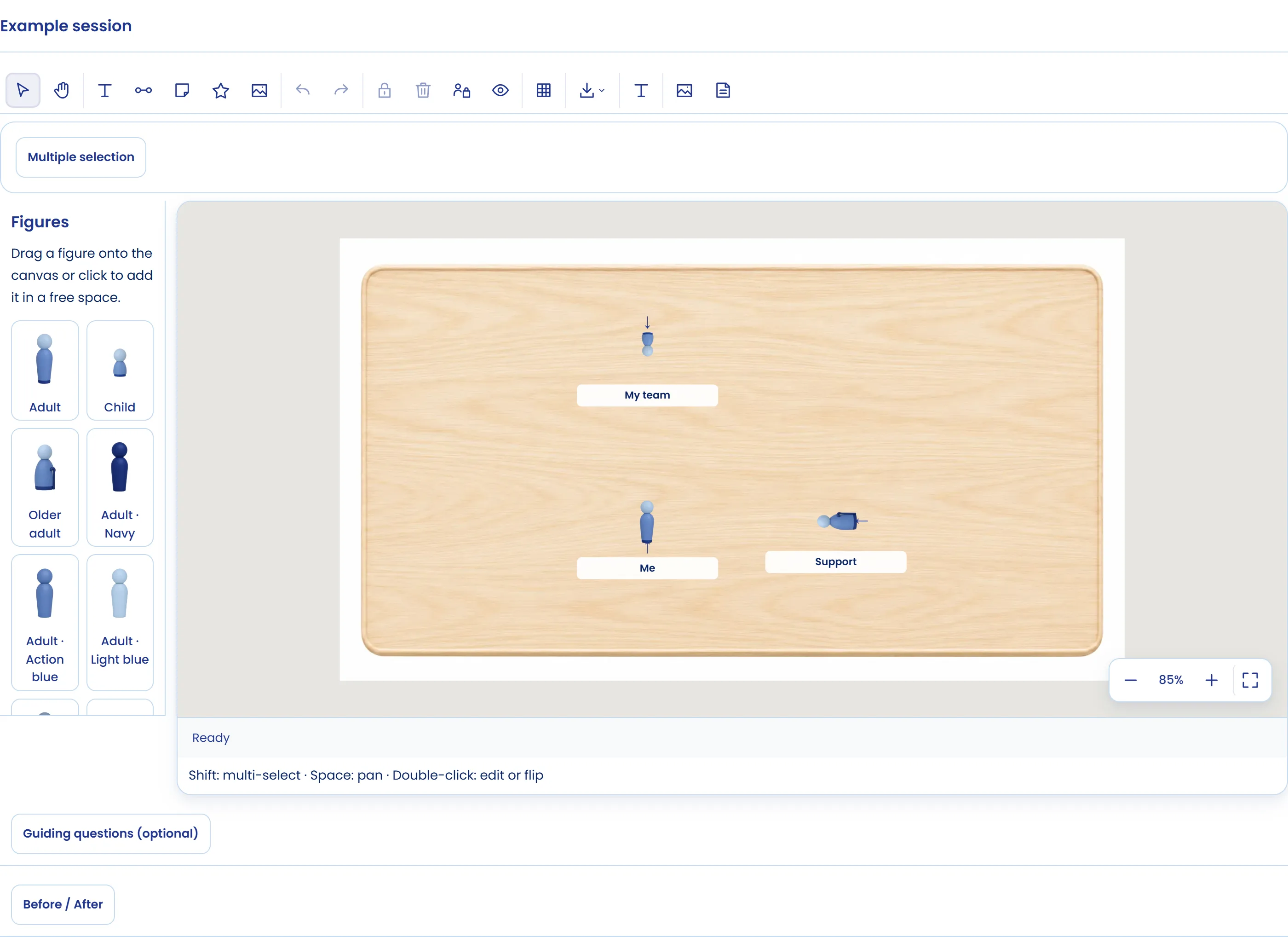
Short answer: an online systemic board is a digital board with figures the client places to represent a situation: their team, their family, their company or the sides of a conflict. Seeing where they put each person, where each figure is looking and how far apart they are changes the conversation. In CoachPro Tools coach and client move the figures at the same time, each from their own screen.
It is a systemic coaching tool: it does not interpret for the client or replace therapy. It helps the person see their system from the outside and try small moves before making them in real life.
What it is for in a coaching session
- Teams: who is close to the leader, who is left out and what would happen if someone moved.
- Decisions: represent the options as figures and see which one "looks" towards the goal.
- Conflicts: place the parties and name the kind of relationship between them.
- Family and personal life: where each important person sits for the client.
How to use the board live, step by step
- Choose the board. In Live → System Board you create the document and choose a plain board, one with boundaries, one with a cross or no board, and person, chess or mixed figures.
- Assign it to the client. They open it from their client space and you both work on the same board. If you only want them to watch, turn on Lock client.
- Place the figures. Drag, rotate and resize them. Label cards say who each one is.
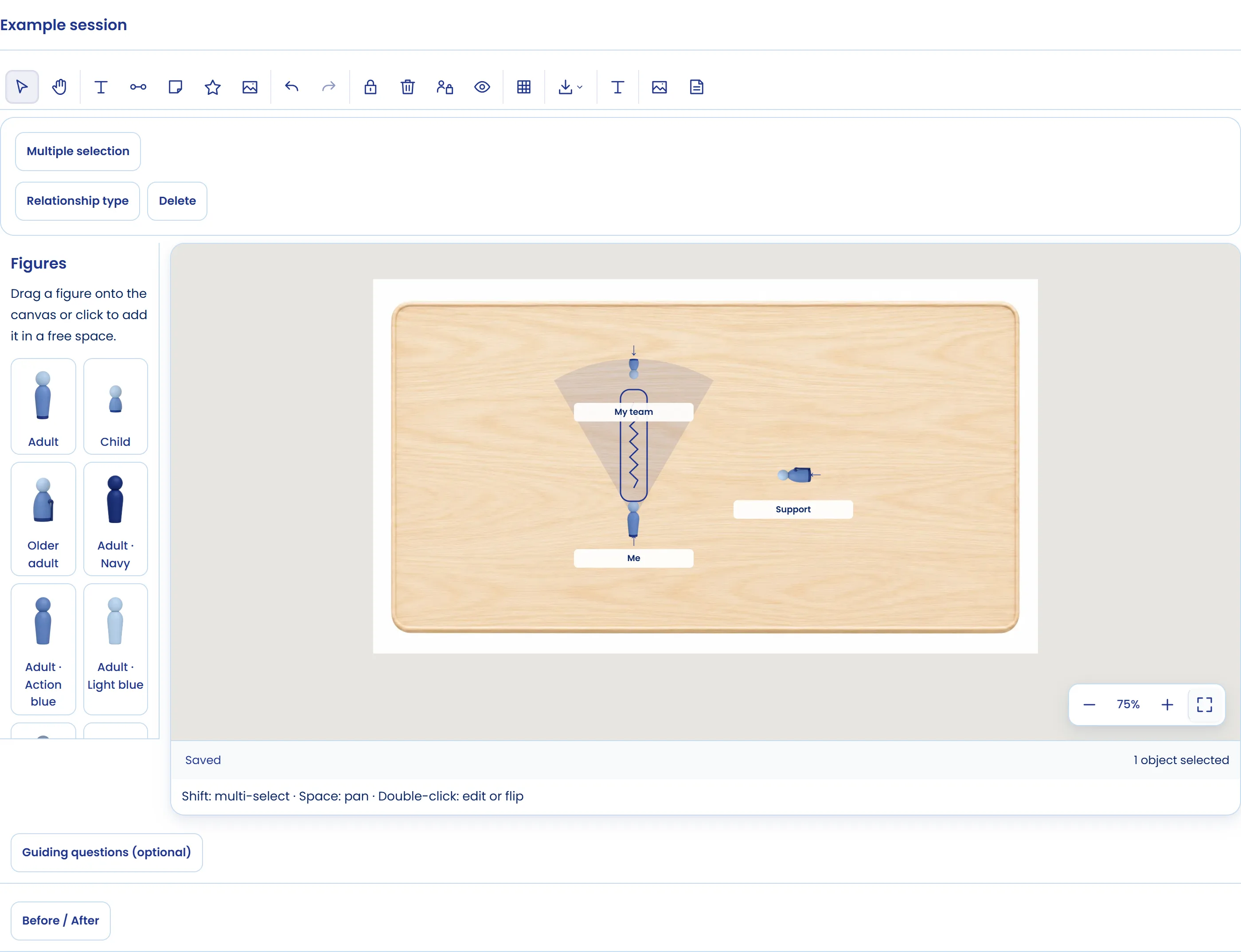
- Show the gaze. Show gaze draws where a figure is looking. One person "not looking" at another often opens the conversation.
- Name distances and relationships. Distance rings mark four distances with the names you choose. Relationships connect two figures as a bond, tension, longing or break, and groups circle several figures with a name.
- See from one figure. See from here shows the scene from where a figure stands: what it sees, who looks at it and what is behind it, with notes from that place.
- Keep the before and after. The snapshot and the Before / After comparison show what changed after moving a figure.
Questions to work with the board
- Where are you? Which way are you looking?
- Who is closest to, and who is furthest from, what you want to achieve?
- If you moved just one figure one step, which would it be and what changes?
- From this person's place, what do you see that you did not see before?
The systemic board alongside other tools
For teams, the board complements the team coaching dynamics, Belbin team roles and team coaching examples. For personal life, it pairs well with the online genogram. It is another of CoachPro's live tools, like the online coaching cards.
Work with the board in your next session
The System Board and the other live tools are in CoachPro Tools, together with the client record, scheduling and video calls.
See plans and pricing →Frequently asked questions
What is a systemic board in coaching?
A board with figures the client places to represent their system: team, family, company or a conflict. Positions, gaze and distances reveal relationships that do not show up in conversation.
Is it the same as a family constellation?
No. It is a coaching tool that helps the client see their situation from the outside and try changes; it does not interpret for them or replace therapy.
Can the client move the figures?
Yes. They open it from their client space and you both move figures at the same time. If you turn on Lock client, they can see the board but not edit it.
Which relationships can I mark between figures?
Bond, tension, longing or break. You can also group figures under a name and mark four distances with rings.