 CoachPro Tools
Short answer: online coaching cards are decks of images, words and questions that coach and client use together on screen to open a conversation that is hard to start with words. CoachPro Tools includes 10 of its own decks, with 432 cards in English and Spanish, that you draw, reveal and annotate live, ending with a client commitment and a PDF.
A card works because it shifts attention: instead of "how are things at work?", the client picks an image and says what they see in it. What they say about the card is often what they could not say head-on.
The 10 decks and what each one is for
- Values, Strengths and Resources: for the client to name what matters, what they are good at and what they can count on.
- Right now: to take a snapshot of how they are today, before talking about goals.
- Evocative photos and Faces: open images that bring up emotions and memories without forcing words.
- A closer look: pairs an image with a word and includes a guided four-step spread.
- Three together and Team: combine photo, word and question, and let you draw one from each pile.
- Blank cards: to create your own cards with a word, a question and an image (available with White Label).
How to use the cards in a session, step by step
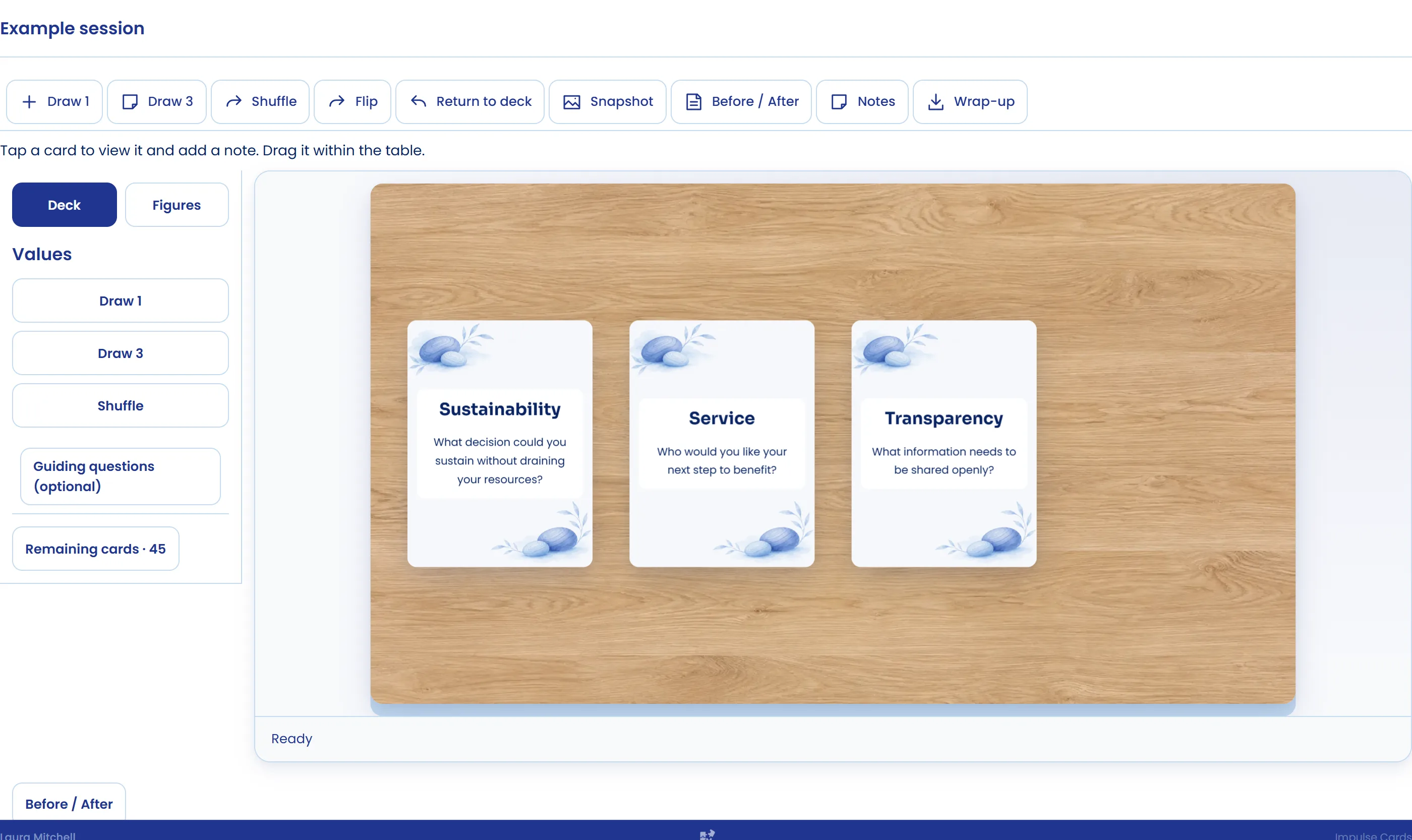
- Set the table. In Live → Impulse Cards you create the document and choose the deck, how the cards are laid out (in a grid or scattered), whether you want person or chess figures, and one of three settings: wooden table, green cloth or plain background.
- Assign it to the client. The client opens it from their client space and you both see the same table at once. An on-screen notice shows, for example, that the client drew a card.
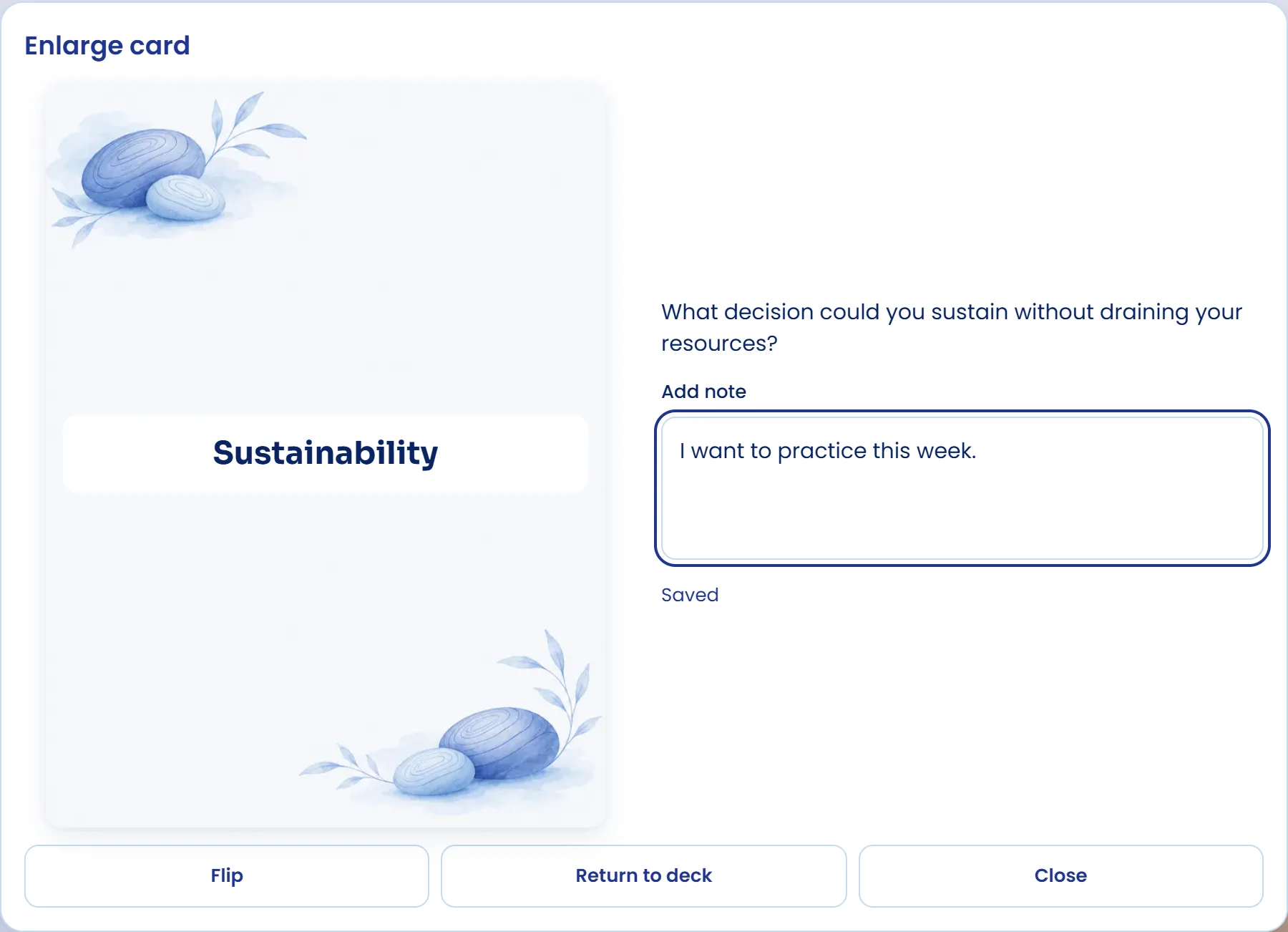
- Draw and reveal. Draw 1 or Draw 3, shuffle, flip or return to the deck. Tapping a face-down card opens it large and reveals it to both of you.
- Take notes. Each card takes a short note with what the client said about it.
- Close with a commitment. The wrap-up gathers the revealed cards and their notes, the client writes "My commitment", and you download a PDF with your brand.
Questions to work with the cards
- What do you see in this image? Which part of you is in it?
- If this card were your situation today, what would be missing?
- Which card would you choose for where you want to get to?
- Of everything that came up, what will you take into this week?
The snapshot and the Before / After comparison let you come back to the same table in another session and see what changed.
Cards alongside other session tools
The cards pair well with values and purpose work, with emotional management tools and with the free personal strengths tool. They are one of CoachPro's seven live tools, together with the online genogram, and fit with the other formats of visual work in session.
Use the cards in your next session
The 10 decks and the other live tools are in CoachPro Tools, together with the client record, scheduling and video calls.
See plans and pricing →Frequently asked questions
What are coaching cards?
Decks of images, words and questions a coach uses so the client can talk about a topic through a card. CoachPro Tools has 10 of its own decks with 432 cards in English and Spanish, used live on screen.
Does the client see the same cards as me?
Yes. Once you assign the document, they open it from their client space and you both see the same table at the same time; when one of you reveals a card, the other sees it.
Can I create my own cards?
Yes, with White Label: the Blank cards deck lets you create cards with a word, a question and an optional image.
How does a session with cards end?
With the wrap-up: it gathers the revealed cards and their notes, the client writes their commitment and you download a PDF with your brand.