 CoachPro Tools
Your process is already a program, even if it does not look like one yet
Most coaches have an order. First the wheel of life, then strengths, then values, later the action plan. That order lives in their head and in a folder of files emailed out session by session. It works with three clients. With fifteen, or with a group of twenty people starting on the same day, it stops working.
The Programs module turns that order into something your client works through on their own, between sessions. In the platform's own words: build a sequence of steps with your tools and hand it to your clients; duplicate a template or start from scratch. It sits in the menu, in the Working with groups section. To choose where to run all of this, see how to pick an online coaching platform.
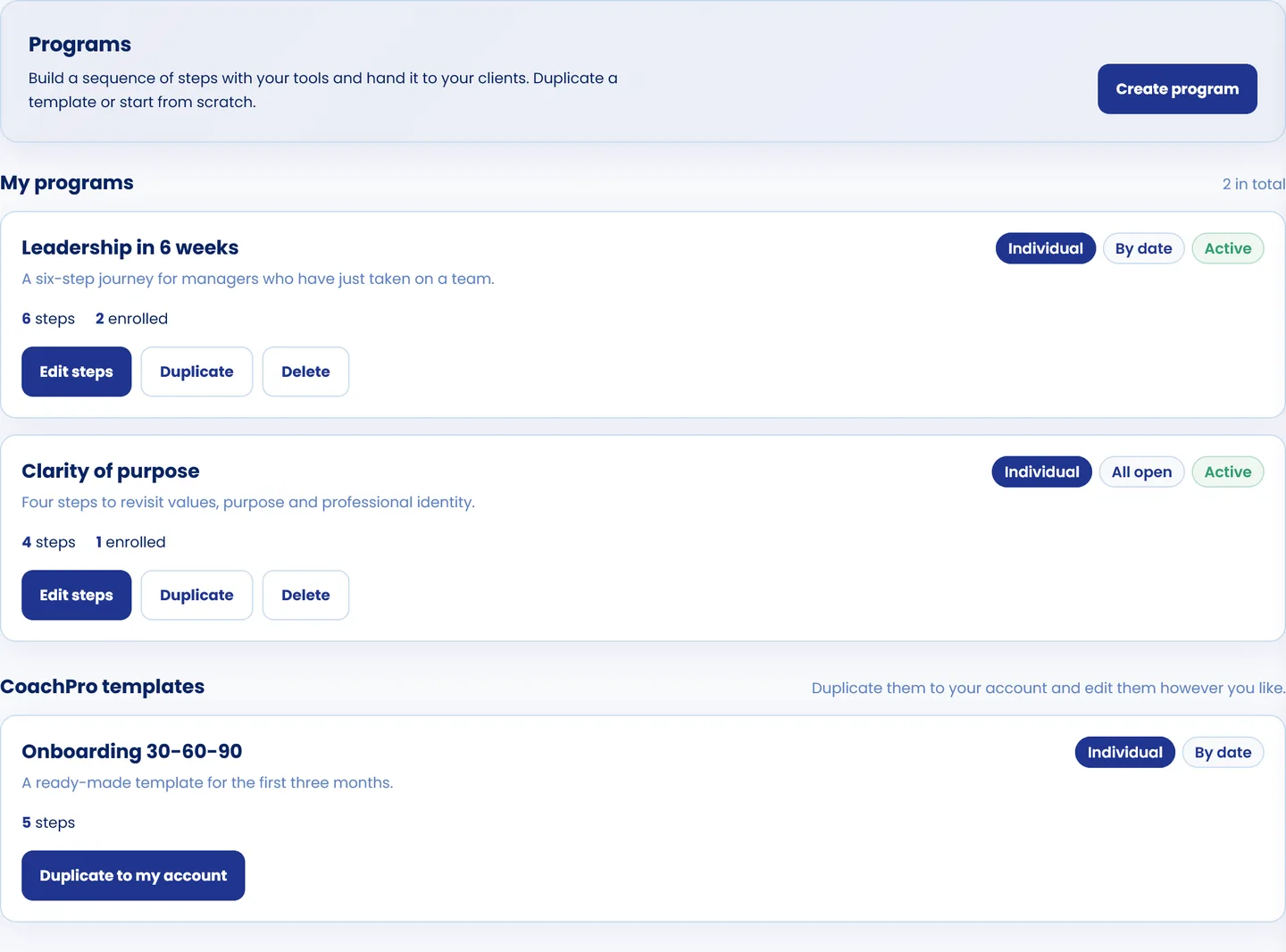
Your programs, with their format, how they unlock, how many steps they have and how many people are enrolled. Below, the CoachPro templates to duplicate.
Getting started: from scratch or from a template
You can create an empty program or duplicate a CoachPro template to your account and edit it however you like. The templates cover the most common journeys: new client onboarding, full initial assessment, purpose and values clarity, goals and 90-day plan, limiting beliefs, emotional regulation, productivity and habits, life design, leadership and teams and financial health. Once duplicated, the template is yours: you change steps, texts and order without touching the original.
The three decisions behind every program
Format: individual or group
Individual: each client moves at their own pace, from the day they enroll. Group: people enroll in cohorts with a shared start date, and the whole group follows the same calendar.
Step unlocking
All open: the client sees the whole program from day one. By date: each step opens a number of days after the start. Sequential: each step opens once the previous one is completed. Unlocking is what turns a list of files into a process: the client does not jump to the action plan before doing the assessment.
Status
Draft while you prepare it, active while it runs and archived when it ends. Archiving cuts off access: your enrolled clients' links stop opening the program.
The steps: tools, tasks, events and content
Each step has a type, a title, the day it unlocks, whether it is required or optional, and instructions for the client: what they have to do and what it is for. There are four types:
- Tool: any of the interactive tools in the catalogue. The client opens it, completes it and sends it to you.
- Task: something they have to do outside the platform.
- Event: a session, a workshop, a group meeting.
- Content: something to read or watch before the next step.
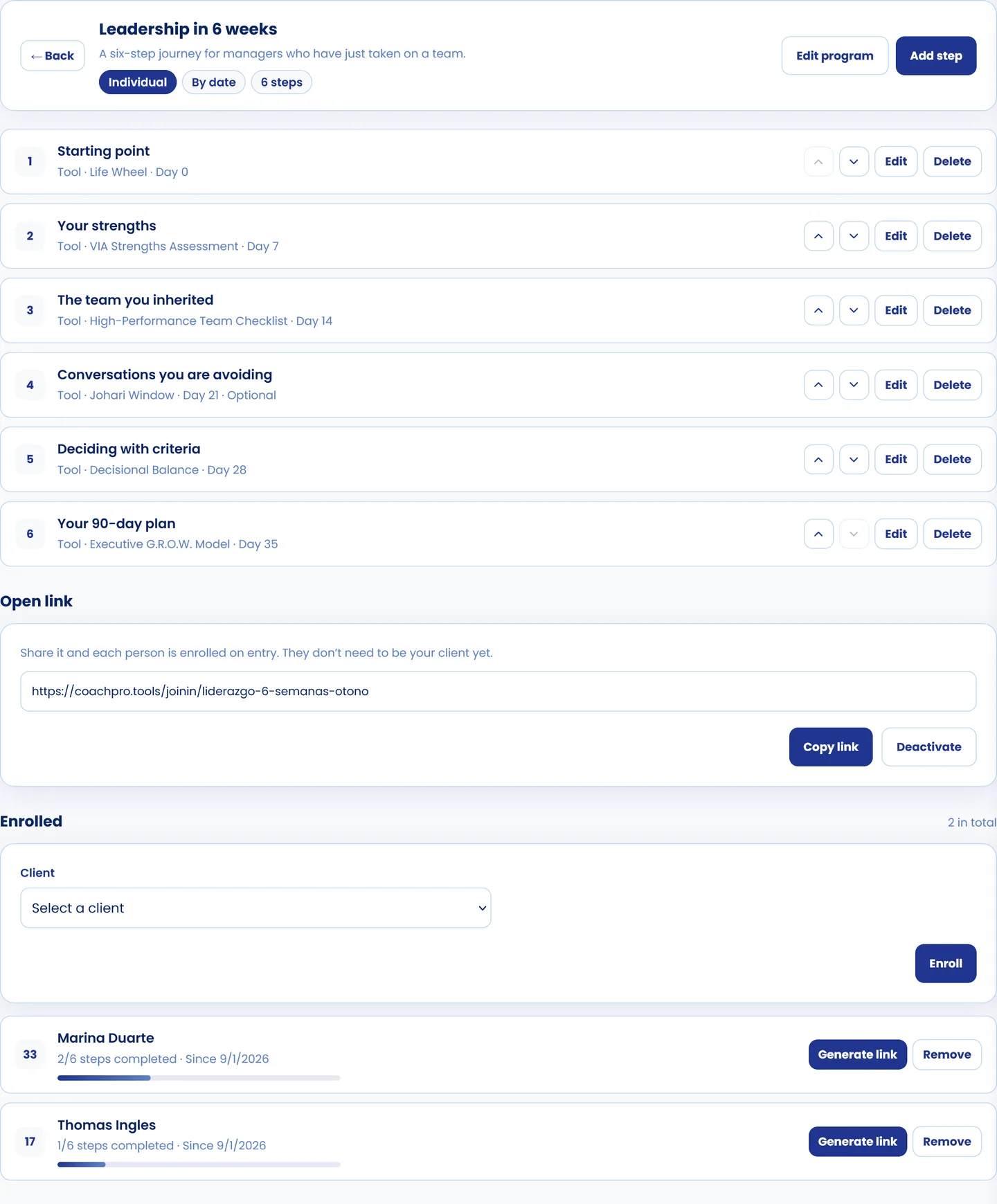
"Leadership in 6 weeks": six steps that open week by week, the open link to enroll the group and each participant's progress.
In the example, a program for managers who have just taken on a team: the wheel of life on day 0, the VIA strengths test on day 7, the team checklist on day 14, the Johari window as an optional step on day 21, a decisional balance on day 28 and an executive GROW to close with the 90-day plan on day 35. Steps are reordered with the arrows on each one.
Enrolling: client by client or with a single link
There are two ways to bring people into a program.
Enroll a client
You pick them from your list, assign a cohort if the program is a group one and generate their personal link. That link is shown only once: for security, only its fingerprint is stored, not the link. If it gets lost, it cannot be recovered: you regenerate it, and the previous one stops working.
The open link, for a whole group
One link for a whole group. Whoever enters leaves their name and email, is added as a client and starts the program. They do not need to be your client yet, so it works for a workshop, a company group or a launch. When enrollment closes, you switch it off: nobody else can come in that way, and those who already joined keep their access.
In the list of enrolled clients you see each person's progress: how many steps they have completed, since when, and a progress bar. No more chasing people by message to ask whether they did the task.
Your process, on autopilot between sessions
Programs, the interactive tools in the catalogue, your clients' space, CRM and scheduling, in a single account.
See plans and pricing →What your client sees
The participant opens their link, with no username or password, and finds their program: a greeting with their name, their cohort if they have one, and their progress, "2 of 6 steps completed". Below, each step with its status: completed, in progress, optional or locked with the date it opens.
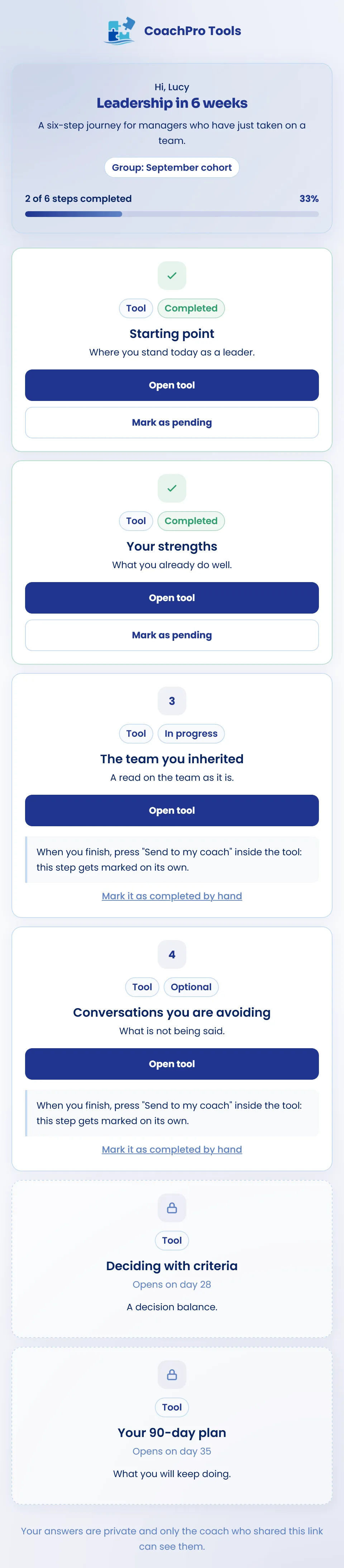
The program on the participant's phone: two steps completed, one in progress and two that have not opened yet.
The detail that saves you the most time is on the step in progress: when they finish, they press "Send to my coach" inside the tool, and the step is marked on its own. The client completes the tool, sends it to you, and their progress updates without you touching anything. If a step is not a tool, they can mark it as completed by hand. The same mechanism is described in the coachee platform for between-session tasks.
And at the bottom, a line that builds trust: their answers are private and only the coach who shared the link can see them. If you have White Label switched on, the page carries your colours and your logo, not CoachPro's.
What changes in practice: the session stops being the only moment when something happens. The client arrives having done the week's step, and you arrive having read it. It is the difference between selling loose hours and selling a process, a topic we cover in how to scale your client portfolio without chaos.

A group program is not a session with more people: it is a journey the group takes at the same pace.
Three common uses
Your usual one-to-one process, in order
You duplicate the template closest to your method, adjust the steps and use it with every new client. Everyone goes through the same journey, and you stop sending files by hand.
A group program with cohorts
One cohort per edition, with its start date. Steps open by date and the whole group moves together, with events for the live meetings.
A workshop or a company engagement
You hand out the open link, each participant enrolls on their own and appears in your client list. If you also need to measure the team, that is what the Organizations module is for.
Conclusion
A program is your method put in order and placed in your client's hands. The Programs module lets you build it with the tools you already use, decide how fast it opens, enroll one person or a whole group and see everyone's progress without chasing anyone. What used to be a folder of files and a list of reminders becomes a journey that also works between sessions. For a side-by-side comparison, read CoachPro Tools vs ClassOnLive.
Discover CoachPro Tools →Keep exploring
Related articles: